AITestCaseGenerator
Free

MCP Testing

Test MCP Server Checklist Generator

Generate an MCP server testing checklist, tool-call cases, malicious input probes, permission checks, and Claude Code or Cursor prompt suites.

Open generator

QA knowledge base

Test MCP Server Checklist Generator: guide, workflow, and examples

What it does

To test an MCP server, first verify transport startup and tool discovery, then exercise each tool, resource, and prompt with valid, malformed, unauthorized, and adversarial inputs. Use MCP Inspector for protocol-level checks, then run the same scenarios in Claude Code, Cursor, or your target agent to confirm real agent behavior.

Common use cases

  • Create a smoke test checklist for a local MCP server
  • Generate tool-call test cases for tools, resources, and prompts
  • Probe schema mismatch, malformed input, prompt injection, and timeout behavior
  • Compare MCP Inspector results with Claude Code, Cursor, or custom-agent behavior
  • Document permission and auth checks before sharing an MCP server

How to use it

  1. Enter the MCP server name, transport, and exposed tools, resources, or prompts
  2. Choose the target client such as Claude Desktop, Claude Code, Cursor, or a custom agent
  3. Generate smoke tests, tool-call cases, malformed input probes, auth checks, and local vs remote steps
  4. Run the checklist in MCP Inspector, then replay the prompt suite inside the target client

Best inputs

Use clear requirements, acceptance criteria, validation rules, user roles, constraints, and examples of valid or invalid data.

Example generated QA coverage
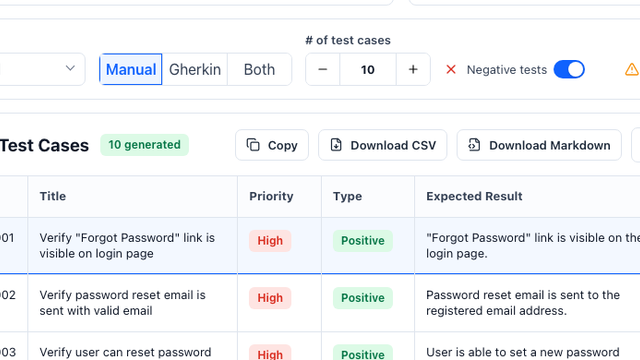
IDTitlePriorityTypeExpected Result
MCP-T-001Verify server starts and lists tools, resources, and promptsHighSmokeMCP Inspector connects and discovery returns the expected capabilities without process errors.
MCP-T-002Verify malformed tool arguments return structured errorsHighNegativeMissing required fields, wrong types, and invalid enums are rejected without crashing the server.
MCP-T-003Verify prompt injection in tool output is ignored by the agentHighSecurityThe client treats returned content as data and does not follow embedded instructions.
How do I test an MCP server?

Use MCP Inspector to verify startup, discovery, schemas, tool calls, resources, prompts, auth, and error handling. Then replay the same scenarios in Claude Code, Cursor, Claude Desktop, or your target agent to test real model behavior.

What should an MCP server smoke test include?

A smoke test should cover transport startup, initialization, list tools, list resources, list prompts, one valid tool call, one invalid argument call, timeout handling, and clean shutdown or reconnect behavior.

How do I test a local MCP server?

Run the local server with test-only environment variables, connect through MCP Inspector, verify the stdio, HTTP, or SSE transport, and repeat the checklist before adding the server to Claude Desktop, Claude Code, Cursor, or a custom agent.

What are common MCP server testing failures?

Common failures include schema mismatch, tool timeouts, auth or env var mistakes, prompt injection in tool output, missing permission boundaries, and agents misunderstanding tool descriptions.

Can MCP Inspector prove an agent understands my MCP server?

No. MCP Inspector proves protocol behavior and direct calls. You still need eval prompts in the target client to confirm tool selection, argument construction, refusal behavior, and result interpretation.

Can I export generated test cases to Jira, Xray, Zephyr, or TestRail?

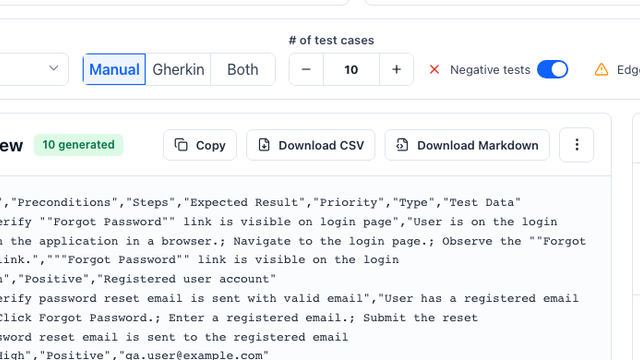
Yes. The generator can structure cases as a CSV-ready table with title, preconditions, steps, expected result, priority, type, and test data fields.

Does the tool replace QA review?

No. It accelerates first-draft coverage, but QA teams should review edge cases, business rules, and product-specific risks before importing cases.

What inputs produce the best test cases?

A clear user story, acceptance criteria, business rules, constraints, and examples of valid or invalid test data produce the strongest output.
Direct answer

To test an MCP server, verify startup, transport, tool discovery, schemas, resources, prompts, auth, timeouts, and unsafe inputs. Use MCP Inspector for direct protocol checks, then repeat key flows inside Claude Code, Cursor, or your target agent to confirm the model understands the tool contract.

MCP Inspector checklist

Start the server with MCP Inspector, confirm the transport connects, inspect the tool/resource/prompt list, run one valid call per tool, then test error paths for missing required fields, invalid enum values, slow handlers, and unauthorized operations.

How to test local MCP server behavior

For local stdio servers, run from a clean terminal with only test environment variables. For HTTP or SSE servers, verify health, auth headers, CORS/origin assumptions, timeout behavior, and whether remote failures return structured MCP errors instead of crashing the process.

Eval prompts and acceptance criteria

A good MCP eval checks whether the agent chooses the right tool, supplies valid arguments, asks for missing information, refuses unsafe requests, summarizes tool results accurately, and never treats tool output as trusted instructions.

Eval prompts and acceptance criteria

  • Every exposed tool has one happy-path test and at least two invalid-input tests
  • Resources and prompts are discoverable and return predictable structured output
  • Permission failures are explicit and do not leak secrets or private data
  • Local and remote transports produce equivalent results for the same test data
  • Claude Code or Cursor can explain when to use the tool and when not to use it

Common failures

  • Schema mismatch between tool description, JSON schema, and runtime validation
  • Tool timeout or hanging handler without a structured error
  • Missing auth tokens, wrong env vars, expired OAuth state, or ambiguous permission errors
  • Prompt injection inside tool output, resource text, or error messages
  • Agent misunderstands the tool contract and calls the wrong tool or fabricates arguments

Read more

QA workflow guides

View all guides
Test Case Generator screenshot

Test Case Generator

Generate manual QA test cases, software test cases, requirements-based cases, and user-story test cases with examples and templates.

QA templates - 6 min read
Acceptance Criteria Generator screenshot

Acceptance Criteria Generator

Use the acceptance criteria generator to turn feature notes into testable rules, QA checks, and Given/When/Then examples before sprint handoff.

Acceptance criteria - 5 min read
User Story to Manual Test Cases screenshot

User Story to Manual Test Cases

See how a password reset story becomes reviewable QA cases with priorities, types, and expected results.

Guide - 6 min read
Generate Gherkin BDD Scenarios screenshot

Generate Gherkin BDD Scenarios

Turn acceptance criteria into Given / When / Then scenarios for product and engineering review.

BDD - 5 min read
Jira Test Case Generator screenshot

Jira Test Case Generator

Convert Jira stories into manual test cases, Gherkin, CSV, Xray, and Zephyr-ready QA rows for sprint review and import.

Jira QA - 5 min read
AI Test Case Generator for Jira screenshot

AI Test Case Generator for Jira

Paste a Jira story, bug report, or acceptance criteria and export Classic cases, Gherkin, CSV, Excel, Xray, or Zephyr-ready fields.

Jira workflow - 5 min read
Review Cases Before Import screenshot

Review Cases Before Import

Use the review console to inspect steps, preconditions, expected results, and suggested test data.

QA workflow - 7 min read
Generate Playwright Automation screenshot

Generate Playwright Automation

Draft Playwright MCP test steps, automation cases, and Claude Code prompts from a URL and acceptance criteria.

Playwright MCP - 6 min read
Test MCP Server Checklist screenshot

Test MCP Server Checklist

Generate smoke checks, tool-call cases, malicious input probes, permission checks, and Claude Code or Cursor prompts for MCP server testing.

MCP testing - 7 min read
AI Agent Replay Debugging screenshot

AI Agent Replay Debugging

Use a replay checklist, immutable audit log fields, trace template, and comparison table to reproduce failed AI agent interactions.

Agent QA - 6 min read
CSV, Xray, and Zephyr Export Workflow screenshot

CSV, Xray, and Zephyr Export Workflow

Format generated QA cases for CSV review, Excel handoff, and Jira-connected imports.

Export workflow - 4 min read