What it does
AI agent replay debugging is the QA practice of capturing prompts, tool calls, inputs, outputs, approvals, environment state, and errors so a failed agent run can be reconstructed, reviewed, and converted into regression coverage.
Common use cases
- Replay and debug failed AI agent interactions from production or staging
- Define immutable audit log fields for regulated agent workflows
- Create deterministic replay checks for prompt, tool-call, and approval failures
- Convert agent incidents into test cases, acceptance criteria, and MCP server checks
- Compare replay traces with screenshots, videos, and generated regression tests
How to use it
- Capture the failed run id, prompt, model, tool calls, inputs, outputs, approvals, timestamps, and error state
- Freeze relevant environment data such as tool versions, feature flags, permissions, and external API responses
- Replay the run with the same inputs and compare each prompt, tool call, output, error, and approval decision
- Classify the root cause as prompt ambiguity, tool schema mismatch, data issue, approval failure, model drift, or product bug
- Turn the finding into acceptance criteria, requirements-based test cases, MCP tests, or Playwright automation prompts
Best inputs
Use clear requirements, acceptance criteria, validation rules, user roles, constraints, and examples of valid or invalid data.
How do you replay failed AI agent interactions?
Start with the failed run id and original trace, then replay the prompt, model settings, tool calls, inputs, outputs, approvals, errors, timestamps, and environment state step by step. Compare each event with the expected workflow and document the first divergence.
What should be logged for AI agent replay debugging?
Log prompts, instruction versions, retrieved context ids, model settings, tool schemas, tool arguments, tool responses, inputs, outputs, errors, approval prompts, user decisions, timestamps, environment state, redaction status, and retention policy.
How is AI agent replay debugging different from test case generation?
Replay debugging reconstructs what happened in a specific failed run. Test case generation turns requirements or confirmed incidents into repeatable QA cases with steps and expected results. Replay usually comes first, then generated test cases preserve the lesson.
Is deterministic replay required for AI agents?
Strict deterministic replay is ideal for high-risk workflows, but not always possible because models and external tools can be non-deterministic. Teams should still capture immutable traces, stable inputs, tool responses, approvals, and environment snapshots to make failures explainable and mostly reproducible.
Can agent replay debugging help MCP server testing?
Yes. Replay traces reveal tool selection, argument construction, schema mismatches, permission failures, and unsafe tool output handling, which can become MCP server smoke tests, malformed-input tests, and agent eval prompts.
Can I export generated test cases to Jira, Xray, Zephyr, or TestRail?
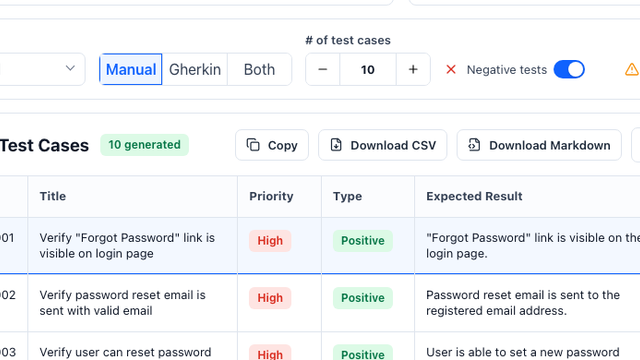
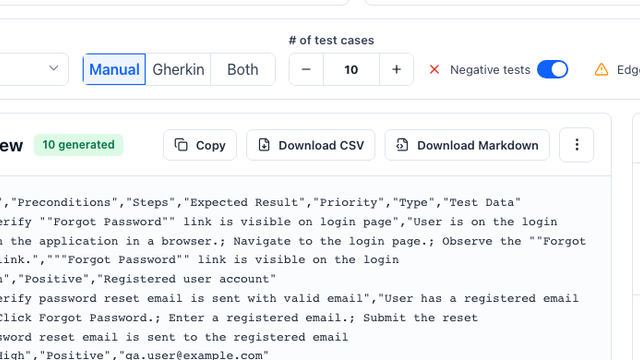
Yes. The generator can structure cases as a CSV-ready table with title, preconditions, steps, expected result, priority, type, and test data fields.
Does the tool replace QA review?
No. It accelerates first-draft coverage, but QA teams should review edge cases, business rules, and product-specific risks before importing cases.
What inputs produce the best test cases?
A clear user story, acceptance criteria, business rules, constraints, and examples of valid or invalid test data produce the strongest output.