What it does
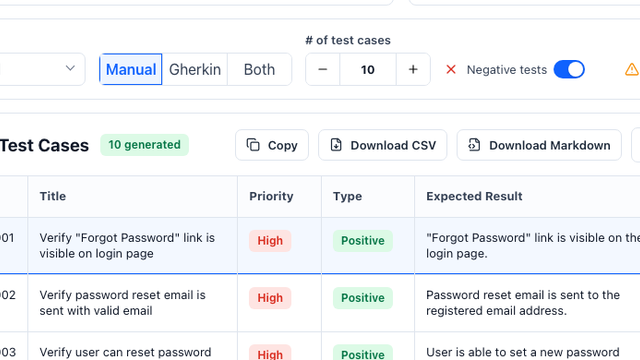
An AI test case generator for Jira converts a Jira user story, bug report, issue summary, and acceptance criteria into structured QA test cases with preconditions, steps, expected results, priorities, types, and export-ready fields.
Common use cases
- Turn Jira user stories into test cases before sprint QA starts
- Convert Jira acceptance criteria to test cases
- Convert Jira bug reports into regression test cases
- Create free CSV, Excel, or Markdown drafts for QA review
- Prepare Zephyr or Xray import fields without installing a Jira Marketplace app
- Map acceptance criteria to positive, negative, and edge coverage
How to use it
- Paste the Jira story title, bug report, description, and acceptance criteria
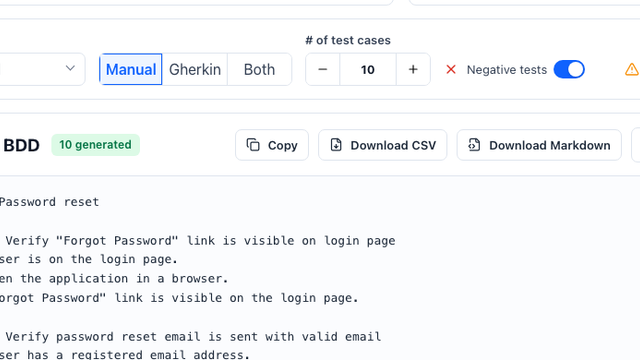
- Choose manual, Gherkin, or combined output
- Generate Jira-friendly test cases with priorities and expected results
- Export or copy the table for CSV, Markdown, Excel, Zephyr, or Xray import
Best inputs
Use clear requirements, acceptance criteria, validation rules, user roles, constraints, and examples of valid or invalid data.
Is this AI test case generator for Jira free?
Yes. You can generate a first draft from a Jira user story for free and review the output before exporting or importing it into your QA workflow.
Do I need to install a Jira Marketplace app?
No. Paste the Jira story text into the web tool, generate test cases, and export or copy the result without installing a Jira Marketplace app.
Does Jira have test cases?
Jira does not include full test case management in the core issue tracker. Many teams manage tests through Jira issues, custom fields, spreadsheets, or Jira-connected apps such as Xray and Zephyr.
How to generate test cases from Jira stories?
Copy the Jira issue key, summary, description, acceptance criteria, priority, platform, and test type into the generator. It drafts Classic test cases, Gherkin scenarios, negative tests, edge cases, and export-ready tables for review.
Xray vs Zephyr export: which format should I use?
Use Xray CSV when your Jira project imports tests through Xray fields such as Summary, Test Type, Action, Data, Expected Result, and Labels. Use Zephyr CSV when your import expects Name, Objective, Precondition, Test Step, Test Data, Expected Result, Priority, and Component.
Is this a Jira Marketplace app?
No. This is an unofficial web-based Jira test case generator. It does not connect to your Jira account, does not require installation, and does not claim affiliation with Atlassian, Xray, or Zephyr.
Can I use a Jira bug report as input?
Yes. Paste the bug summary, reproduction steps, expected behavior, actual behavior, affected environment, and acceptance criteria to draft regression cases.
Can I generate test cases from Jira acceptance criteria?
Yes. Each acceptance criterion can become one or more positive, negative, and edge test cases with expected results and Jira-friendly fields.
Can you show a Jira story to test cases example?
For a login-lockout story, generate cases for the fifth failed attempt, the fourth-attempt boundary, the 15-minute expiry, safe error messaging, and successful login after the lock expires. Each case should retain the Jira issue key for traceability.
What fields should I include when generating Jira test cases?
Include the issue key, summary, story or bug description, acceptance criteria, priority, platform, environment, labels, component, test level, and known constraints. These inputs help produce clearer steps, test data, expected results, and import mappings.
Can I export Markdown for Jira QA review?
Yes. Markdown is useful for pull requests, Jira comments, sprint review, and QA handoff before converting the approved cases to CSV, Xray, or Zephyr fields.
Can I export Jira test cases to CSV, Excel, Zephyr, or Xray?
Yes. The output is structured for CSV and Excel review and includes fields commonly used when preparing Zephyr or Xray imports.
Can I export generated test cases to Jira, Xray, Zephyr, or TestRail?
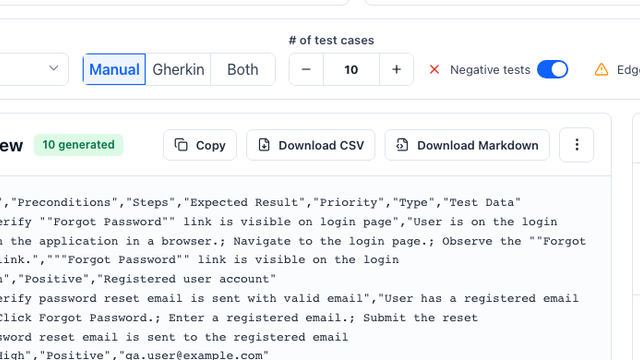
Yes. The generator can structure cases as a CSV-ready table with title, preconditions, steps, expected result, priority, type, and test data fields.
Does the tool replace QA review?
No. It accelerates first-draft coverage, but QA teams should review edge cases, business rules, and product-specific risks before importing cases.
What inputs produce the best test cases?
A clear user story, acceptance criteria, business rules, constraints, and examples of valid or invalid test data produce the strongest output.